The Ultimate M1 iPad App Suite
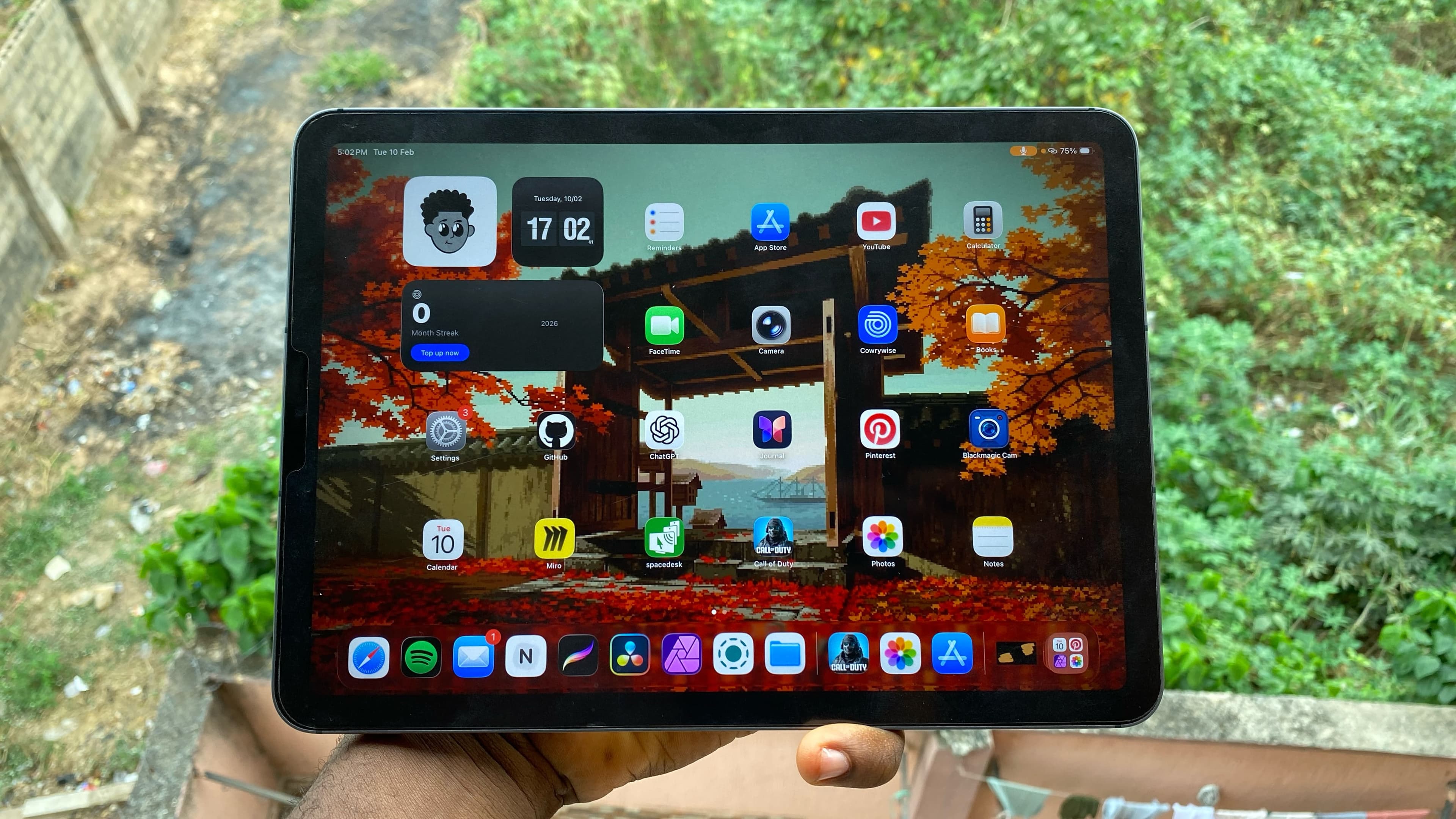
The Entry Point
Owning an M1 iPad is only half the battle; the real magic happens when you load it with the right software and after a year of using the iPad Air 5 as my primary creative machine, I’ve narrowed down the apps that actually justify having a desktop-class chip in a tablet.
Whether you’re editing 4K videos, designing thumbnails, or using your iPad as a professional drawing tablet for your PC, these are the apps I use every single day.
The Creative Heavyweights
Affinity Photo: The Photoshop Killer
If you’re still waiting for a "full" version of Photoshop on the iPad, stop waiting and just get Affinity Photo. I edit every single piece of artwork for my YouTube channel here, including my thumbnails. The value is insane, it's a one-time payment of 30,000 Naira after a 7-day trial. No subscriptions, just pro-level tools that actually work.
 Affinity Photo workspace on iPad
DaVinci Resolve: Desktop Video Power
This is arguably the best video editing platform on the iPad. Period. It’s the reason I can edit 4K footage on a fly while my PC struggles to even breathe. If you're serious about mobile video production, this is the only app you should be looking at.
 Davinci Resolve on iPad
Pro Tip: If you're coming from a PC, the interface is almost identical. You get the same Color Grade and Cut pages, making it a seamless transition for professional editors.
Design and Ideation
Miro: My Brain in an App
This is where all my brainstorming happens. Whether I’m mapping out workflows, generating website mockups, or just dumping ideas for a new video, Miro handles it all. It’s especially powerful if you’re working in a team, as you can share and collaborate on the same canvas in real-time.
 Miro's workspace on iPad
Procreate: The Gold Standard
Think of this as the definitive drawing application for the iPad. It’s the one app that actually makes you feel like a professional artist, even if you’re just starting out. I used Procreate to test my drawing skills with that paper-texture screen protector I mentioned in my iPad review, and the responsiveness is on another level so whether you're sketching out ideas or finishing high-end illustrations, it’s a tool that definitely deserves a permanent spot in your dock.
 Procreate on iPad
Utilities and Streaming
Spacedesk: The Second Screen
This app is a game-changer for my PC setup. Spacedesk allows me to use my iPad as a second monitor for my Windows PC. It allows for some really cool workflows, like opening Blender on my PC and using the Apple Pencil on my iPad to sculpt 3D models. It turns your tablet into a high-end pen display for free.
 SpaceDesk workspace on iPad
LocalSend: The Ecosystem Breaker
If you want to move files or text between your iPad and your PC (or any other device) without fighting with AirDrop or cloud uploads, this is the app to use. It’s incredibly fast and works completely offline, though you’ll need to keep the app open on both ends if you want the devices to actually find each other.
 LocalSend on iPad
Summary Table: Value Breakdown
| App | Purpose | Pricing (2026) |
|---|---|---|
| Affinity Photo | Photo/Thumbnail Design | 30,000 Naira (One-time) |
| DaVinci Resolve | 4K Video Editing | Free / Pro Version |
| Procreate | Drawing/Illustration | 15,000 Naira (One-time) |
| Spacedesk | PC Second Screen | Free |
| PRISM Live | Game Streaming | Free |
I’ll be keeping these in my dock for the rest of the year. If you’ve just picked up an M1 or M2 iPad, start with these to actually see what that chip can do.
Related posts
Join the Lab
Get my hardware deep dives directly in your inbox.
Thanks for reading
Check out my other deep dives into tech.